
Are you searching for an effortless and legitimate method on how to join canva pro team with ottloop? Whether you are a content creator, social media manager, student, or digital marketer, unlocking Canva Pro features shouldn't cost you expensive monthly retail prices of ₹499 to ₹799. With OTTLoop, you can effortlessly join an authorized Canva Pro team with 100% genuine activation on your personal email ID.
In this comprehensive guide, we walk you through the complete step-by-step process of joining an OTTLoop Canva Pro team, explaining why team invites are completely safe, how private folder isolation works, and what makes OTTLoop the highest-rated subscription seller across India.
What Does Joining a Canva Pro Team with OTTLoop Include?
When you join an official Canva Pro team through OTTLoop, your personal Canva account gets instantly upgraded to the Pro tier with complete access to all creator utilities and AI tools:
Unlimited high-res photos, 4K video clips, vector icons, sound effects, and audio tracks with zero watermarks.
Instant 1-click background remover, Magic Expand, Magic Eraser, Magic Switch, and AI image generation.
Transform your single design into multiple aspect ratios (Instagram Reels, YouTube Banners, Story, Post) in seconds.
Create brand palettes, custom logos, and upload your proprietary TTF/OTF fonts for seamless brand identity.
Never worry about running out of design space. Store raw camera footage, PSD assets, and drafts securely.
Export crisp transparent PNGs for web design and high-quality vector SVGs for laser cutting and print banners.
Step-by-Step Tutorial: How to Join Canva Pro Team with OTTLoop
Joining an official Canva Pro team through OTTLoop takes fewer than 3 minutes without sharing sensitive account credentials. Here is the exact walkthrough:
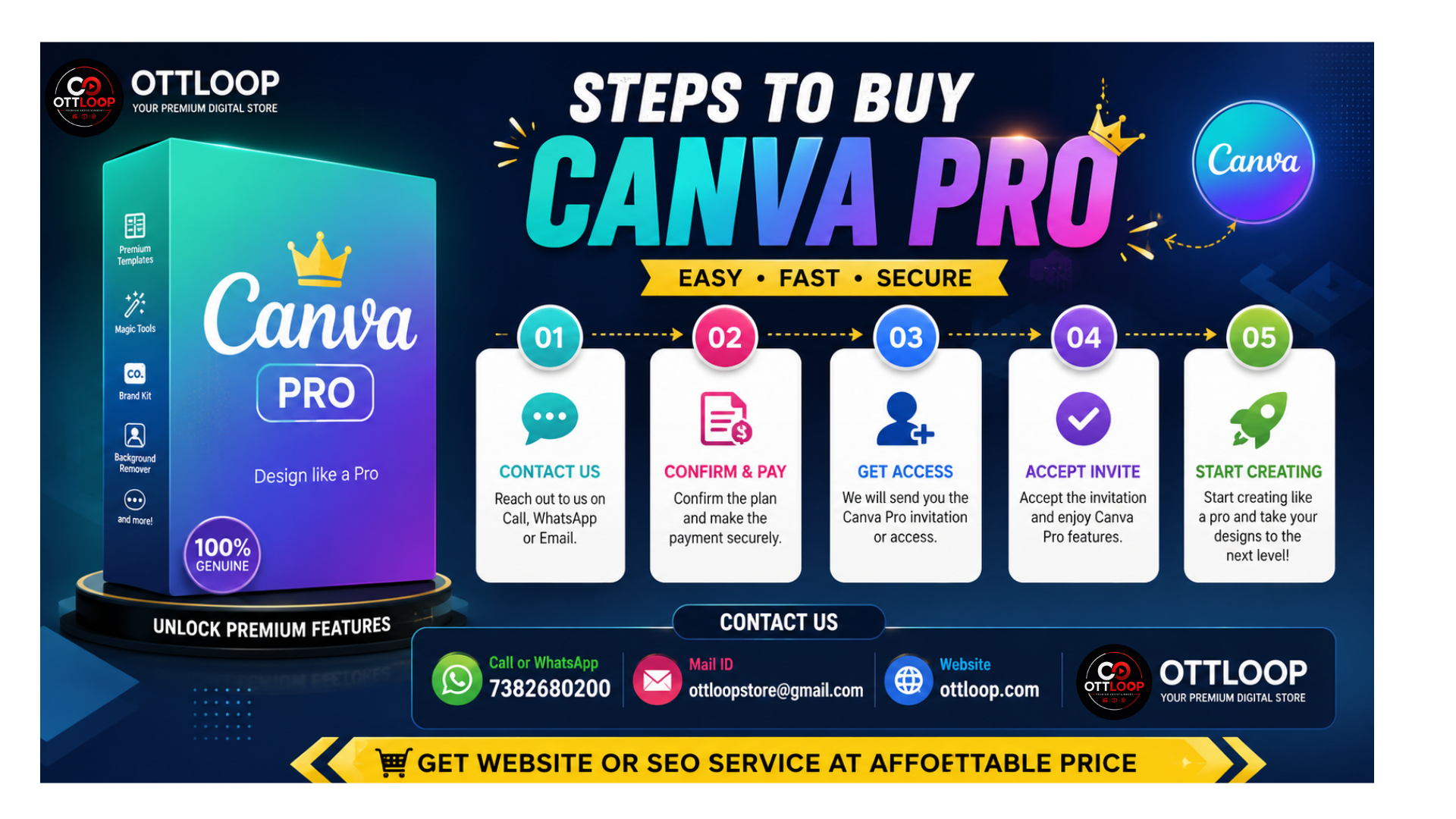
Click the Buy Now button above or text us on WhatsApp at +91 7382680200 with code: aug23. Let us know your preferred plan duration (Monthly, Semi-Annual, or Annual).
Provide the email address you already use for Canva (or your new email). OTTLoop never asks for passwords. Complete your payment securely through UPI (Google Pay, PhonePe, Paytm, BHIM).
Within 15 minutes to 3 hours, you will receive an official invitation email from notifications@canva.com with the subject "OTTLoop invited you to join a team". Simply click "Join the Team" and your account is upgraded immediately!
Official Canva Pricing vs Joining OTTLoop Pro Team
Check out how much money you save when you understand how to join canva pro team with ottloop instead of paying expensive recurring retail prices:
| Canva Plan Option | Official Retail Price | OTTLoop Pro Team Price | Your Net Savings |
|---|---|---|---|
| Canva Pro (1 Month) | ₹499 + GST | ₹99 – ₹149 | Save over 75% |
| Canva Pro (Annual Plan) | ₹3,999 / Year | ₹299 – ₹499 / Year | Save ₹3,500+ every year |
| Multi-User Agency Access | ₹6,590+ / Year | Affordable Custom Packs | Save Up to 85% |
How to Buy & Join Canva Pro Team with OTTLoop
Follow this quick reference flow to get activated within minutes:
WhatsApp Contact
Message our active support desk at +91 7382680200 with code: aug23.
Email & Payment
Send your registered Canva email ID and pay safely via any UPI app of your choice.
Accept Team Invite
Click "Join Team" directly from the official Canva verification email and unlock full Pro access.
Privacy & Security: Can Other Team Members See My Designs?
One of the most frequent questions when learning how to join canva pro team with ottloop is design confidentiality. Here is how Canva's architecture protects your creative assets:
- Strict Personal Privacy: Every graphic, presentation, thumbnail, or video draft you make stays under your private personal workspace folder unless you explicitly tap "Share with Team".
- Zero Account Password Sharing: OTTLoop exclusively uses official Canva email invitation links. You never share your password, OTPs, or recovery codes.
- Seamless Device Switching: Once you accept the team invite, your Canva Pro access automatically syncs across Canva Android/iOS app, Windows PC, Mac software, and Chrome/Edge browsers.
- Active Warranty & Instant Re-Invite: In case of any team maintenance or renewal transitions, our team provides 100% free re-invites and customer support during your full plan period.
Alternative Search Terms & Related Queries
If you arrived here searching for any of the following related queries, this OTTLoop tutorial applies directly to your requirement:
- How to get Canva Pro team invite link in India
- OTTLoop Canva Pro subscription seller review and pricing
- Canva for Teams lifetime activation legitimate seller
- Best way to upgrade existing personal Canva account to Pro
- Affordable Canva Pro reseller with WhatsApp delivery
Ready to Join Canva Pro Team with OTTLoop?
Get official activation sent to your email inbox in 15min–3 hours with full replacement warranty and WhatsApp assistance.
Buy now on WhatsApp